Filter by spec, like a parts distributor
Filters come from the products that matched. Sizes become min–max ranges in the unit your catalog uses; the rest are checkboxes. The list view shows specs in columns you can sort.
Tolra Search · Shopify app for parts and technical catalogs
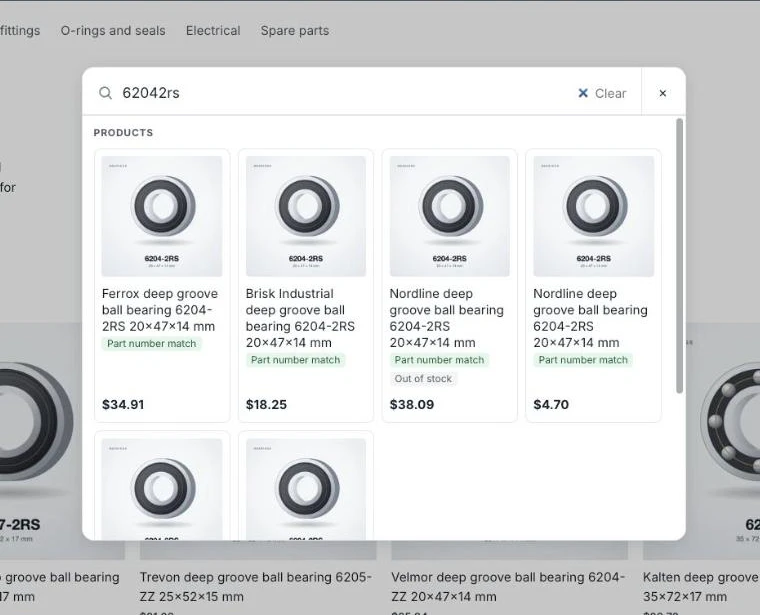
Your shoppers type part numbers, sizes and codes. Tolra matches them the way they are written, in any format, and puts the exact part first.
Works with Online Store 2.0 themes. Your theme code is never edited, and you can turn Tolra off at any time.
Read as Part number 6206ZZC3
Products
For comparison, a simple text match on the same sample finds nothing.
Sample catalog of 40 products with made-up brands. The ranking here is a simplified version of the app's; part numbers and sizes are read by the same code.
Standard store search looks for words. Parts shoppers type codes and measurements, and each catalog writes them a little differently.
| Shopper types | Your catalog says | Tolra |
|---|---|---|
| px2280 01 | PX-2280-01 | Exact match, shown first |
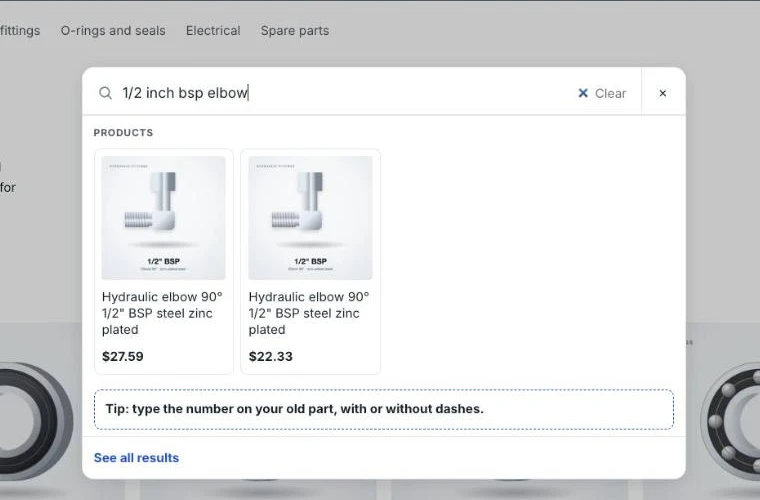
| 1/2 inch ball valve | Ball valve 1/2" | Same size, found |
| 600mm hose | Hose 60 cm | Same length, found |
| 6205 2rs | Bearing 6205-2RS | Exact match, shown first |
| 1,5 kw pump | Pump 1.5kW | Same power, found |
Examples are illustrative. Part numbers are never changed, only matched.
Install Tolra from the Shopify App Store. It copies your products into a search index that belongs only to your store and keeps it up to date.
Turn on the Tolra search box and add the results block in the theme editor. A setup guide checks your live theme for you.
On plans with AI, Tolra reads your product text (title, description and product fields) and suggests filter values. You approve them, and they become filters on your results page. New and changed products are read again.
The search report shows searches with no results. Fix them in one click with a synonym, a rule or another part number.
How Tolra Search looks in a store and in your Shopify admin. Products and numbers are examples.
Filters come from the products that matched. Sizes become min–max ranges in the unit your catalog uses; the rest are checkboxes. The list view shows specs in columns you can sort.
Results as the shopper types. The exact part comes first and is marked. You choose the layout, colors and sections.
1/2", 1/2 inch and ½ in find the same fittings. 60 cm finds 600 mm wiper blades.
Pick the layout, colors and what shows. Type in the preview to run a real search on your products, then open it on your store.
AI reads your product text and suggests values like size, thread or material. Nothing goes live until you approve it.
What shoppers search for, what finds nothing, and a one-click fix for each: add a synonym, a rule or another part number.
Trade buyers paste lines of part numbers and quantities and add them all to the cart at once.
Moving clips are animations made from the app's own styles and text; still images are screenshots.
SKU, MPN and OEM numbers match in any format. Dashes, spaces, dots and capitals are ignored.
1/2" and 1/2 inch, 60 cm and 600 mm, 1,5 kW and 1.5kW are read as the same thing.
Shoppers narrow results by thread, voltage, material or size. AI suggests the values from your product text, and nothing goes live until you approve it.
List, compact or grid layout, your colors, and the sections you want. No code.
Upload a list of old, OEM or equivalent numbers. Results say "Replaces" or "Matches".
On paid plans, going over a limit never stops search: you get a notice, not a broken store. You can turn Tolra off yourself at any time, and your store's own search is back.
Parts and technical catalogs where shoppers search by number and size.
Maker numbers in every format, sizes from drawings, and filters that change with the category. For bearings, seals, hydraulics, motors and spares.
Appliance, vacuum, coffee machine, pool and spa, and small engine parts. Shoppers type the number on the old part; Tolra finds the replacement.
Plumbing, electrical, tools and fasteners. Inch fractions, metric threads and ratings understood, and quick order for trade buyers (Pro plan).
OEM numbers with spaces or dashes, fitment words from your own titles and metafields. No vehicle database is included.
Practical notes on making a technical catalog searchable.
How to handle old, replaced and equivalent part numbers in a Shopify parts store, so a shopper with any of them finds the part you sell today.
How to choose search filters for a parts store, why one fixed list doesn't fit every product type, and how to get clean filter values from messy titles.
Why part number searches fail on Shopify stores, where to store SKUs, maker and OEM numbers, and how to test that every format finds the right part.
Start on the Free plan with up to 1,000 products. Paid plans are billed through Shopify.